Product case study / Maritime · SaaS ecosystem
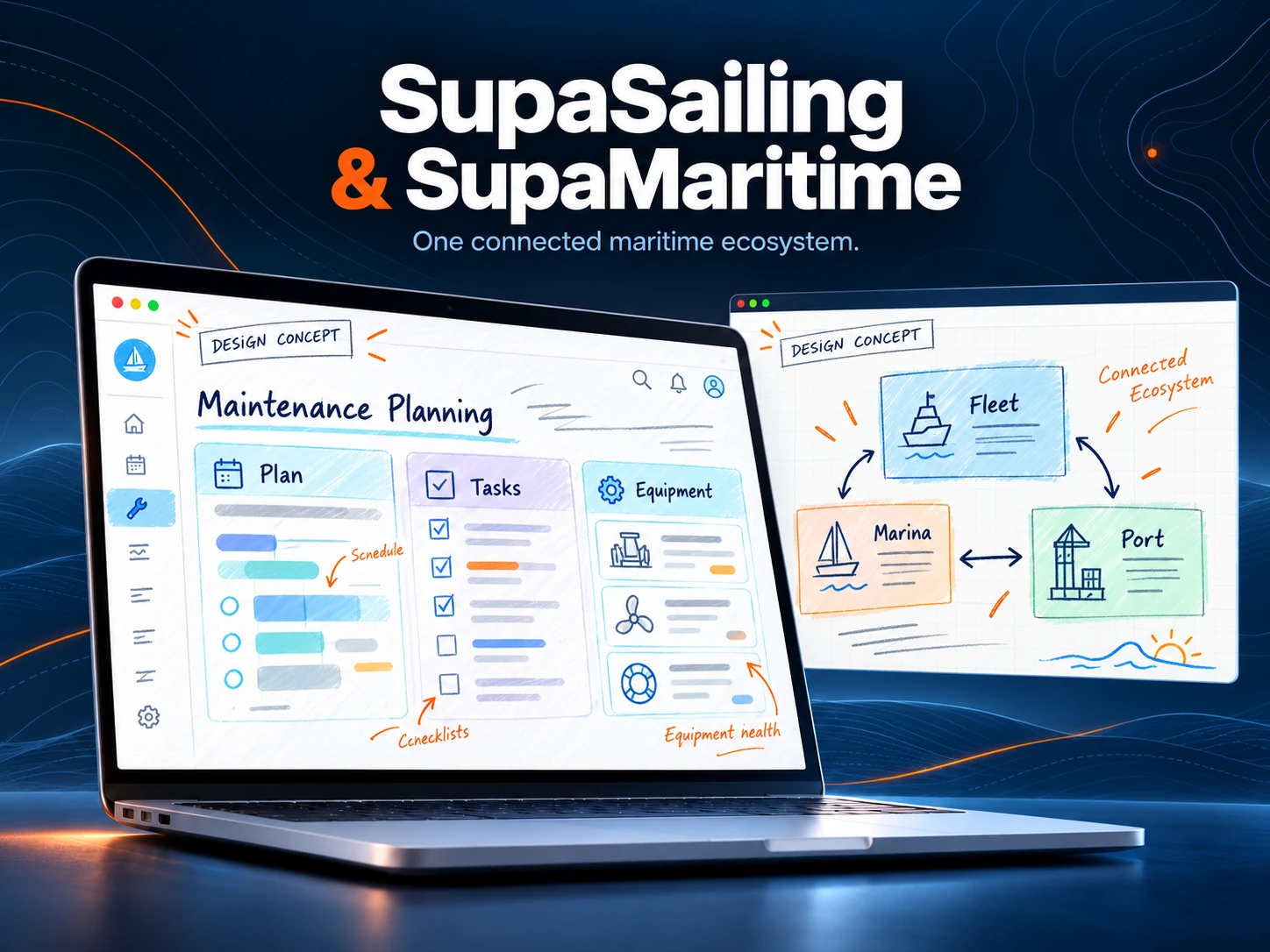
SupaSailing & SupaMaritime
One maritime world. A workspace for every role.
From a yacht's engine room to a marina office and a port agency: a family of digital products that makes complex operations easier to navigate, with two distinct brands and a coherent approach to everyday work.
- Our contribution
- UX strategy, product design and website development
- Project focus
- Brand architecture · Role-based navigation · Operational interfaces · Responsive websites
01 / The challenge
Designing the connections behind the voyage
Maritime work rarely happens at a single desk. Captains, engineers, marina teams, charter operators and port agents act on the same vessel from very different perspectives. The project brings this complexity into a clear product family: SupaSailing serves recreational yachting through Fleet, Charter, Marina, Broker, Shipyard and Guild; SupaMaritime addresses commercial operations through Agent, Ferry, Merchant and Guild, with a separate ferry-booking offer. The website explains that structure before asking visitors to choose a product. Inside the ecosystem, the design focus shifts from explaining capabilities to helping each role understand what needs attention and what to do next.
The central challenge is not the number of features but the number of contexts. A marina manager thinks in berths and arrivals; an engineer thinks in equipment and maintenance; an agent thinks in port calls and documents. A generic dashboard would hide those differences. At the same time, separate products need familiar patterns for status, records, permissions and confirmation, while public navigation must keep recreational and commercial offerings understandable.
The decisions behind the experience
Start with the role, then reveal the module
Role pages translate the catalogue into working situations: chief engineer, marina manager, charter operator and shipyard owner. Each connects a familiar responsibility to the relevant module. Product names remain visible, but the first question becomes ‘What are you trying to manage?’ rather than ‘Which software category do you know?’.
Keep two brands legible as one family
SupaSailing and SupaMaritime address different markets, so their websites keep a clear boundary between yachting and commercial shipping. Shared navigation conventions, module colours and comparable page structures create continuity. Links between brands name the destination explicitly, helping visitors understand when they move into another part of the ecosystem.
Put operational status before administration
Fleet foregrounds maintenance, defects, inventory and document expiry; Marina organises work around the berth map, arrivals, requests and contracts; Agent centres port calls and their tasks. Tables, status labels and contextual actions make the working object easy to locate. Details belong to a record, so the overview can retain its hierarchy.
Design for work away from the desk
The workflow also includes the pontoon and the engine room. Fleet's Telegram channel supports operational reporting, while Marina's meter-reading flow uses photos, OCR, berth selection and confirmation. The design principle is to keep the task complete in its working channel: capture, check the interpreted information and confirm the record before saving.
Connect records without promising a single giant app
The shared architecture defines a canonical vessel registry and explicit connections to Fleet, Charter, Broker, Marina and Shipyard. Each application keeps its operational responsibilities. This matters to the UX story: consistency means recognisable entities and predictable handovers, with integration boundaries communicated clearly rather than implying every feature is shared everywhere.
02 / People & research
Designing around real needs
Illustrative proto-personas, derived from the product’s roles and workflows. They describe design hypotheses, not interview participants.
The marina coordinator
Operations · Marina
- Need
- Allocate an appropriate berth, prepare arrivals and keep customer, contract and billing details connected.
- Friction
- Requests arrive through different channels while the same berth can change status across dates.
- Design response
- A dated berth map, a request inbox and a customer record with contextual actions.
The chief engineer
Technical operations · Fleet
- Need
- Understand what is due, find the equipment record and close a maintenance task with the right information.
- Friction
- Information is spread across equipment, defects, manuals and spare parts, often consulted away from a desk.
- Design response
- An equipment-centred record, visible maintenance status and a Telegram reporting flow with confirmation.
The port agent
Commercial operations · Agent
- Need
- Coordinate a vessel's port call and identify which task, service or document needs attention next.
- Friction
- Several port calls progress simultaneously, with handovers between operations, documentation and finance.
- Design response
- A port-call workspace with explicit statuses, related documents and a clear next action.
Research questions & validation
This research framework is an editorial reconstruction grounded in the product repositories and their role pages. The proto-personas and representative journey express design hypotheses. The interview prompts and usability scenarios below are a proposed validation plan, not findings from documented interviews or completed user tests.
An editorial reconstruction of the design reasoning. The interview questions and usability scenarios below are a validation guide; they are not presented as completed fieldwork or measured results.
Interview guide
- Hypothesis: a role-led entry helps visitors choose a module. Interview prompt: ‘What were you trying to organise the last time you looked for maritime software?’
- Hypothesis: status is useful only with context. Interview prompt: ‘Which information do you need before you can safely assign a berth or a maintenance task?’
- Hypothesis: handovers are a source of duplicate entry. Interview prompt: ‘Show us where information moves between a message, a spreadsheet and the next colleague.’
- Hypothesis: mobile capture needs an explicit review step. Interview prompt: ‘When you record work on the pontoon or on board, what can you check immediately and what must wait?’
Usability test scenarios
- Proposed usability task: choose the correct brand and module from a role description; record the route, hesitation and explanation of the choice.
- Proposed usability task: find a berth for a sample vessel and stay; check whether date, dimensions, availability and conflict feedback are understood.
- Proposed usability task: review an OCR meter reading in Telegram, correct an ambiguous berth and confirm; observe error recovery and confidence before saving.
- Proposed usability task: locate overdue maintenance and its equipment record; assess whether urgency, ownership and the next action are clear without assistance.
- Review plan: repeat the essential routes on a small screen and by keyboard, including empty states, permission limits, interrupted loading and unsuccessful saves. Track task completion and errors without inventing a baseline or a result.
03 / Customer journey
Customer journey
A representative journey reconstructed from the product flow, connecting each need to an interface decision.
| Stage | User action | Friction | Design response |
|---|---|---|---|
| 01 · Find the right entry point | A professional arrives on the website through a role or operational need. | A large catalogue can make similar modules difficult to distinguish. | Role-led pages explain the work scenario and lead to the relevant brand and module. |
| 02 · Build a working picture | The marina coordinator checks the date, expected arrivals and current berth availability. | An overview without date context can suggest availability that does not match the requested stay. | Keep date, berth status and incoming requests visible together. |
| 03 · Act on the right record | A request is reviewed, linked to a customer and vessel, and assigned an appropriate berth. | Repeated entry and ambiguous selection can create conflicting or duplicated information. | Use recognisable customer and vessel records, explicit selections and conflict feedback. |
| 04 · Capture work on the pontoon | An operator photographs a utility meter and checks the interpreted reading in Telegram. | The photo alone does not guarantee the right reading, unit or berth. | Show the interpreted value, allow berth selection and request confirmation before saving. |
| 05 · Hand over with context | The office reviews the stay, related consumption and outstanding administrative work. | A handover loses value if the next colleague cannot see what was recorded and what remains open. | Keep the stay, readings and billing context connected, with visible status and a next action. |
0101 · Find the right entry point
- User action
- A professional arrives on the website through a role or operational need.
- Friction
- A large catalogue can make similar modules difficult to distinguish.
- Design response
- Role-led pages explain the work scenario and lead to the relevant brand and module.
0202 · Build a working picture
- User action
- The marina coordinator checks the date, expected arrivals and current berth availability.
- Friction
- An overview without date context can suggest availability that does not match the requested stay.
- Design response
- Keep date, berth status and incoming requests visible together.
0303 · Act on the right record
- User action
- A request is reviewed, linked to a customer and vessel, and assigned an appropriate berth.
- Friction
- Repeated entry and ambiguous selection can create conflicting or duplicated information.
- Design response
- Use recognisable customer and vessel records, explicit selections and conflict feedback.
0404 · Capture work on the pontoon
- User action
- An operator photographs a utility meter and checks the interpreted reading in Telegram.
- Friction
- The photo alone does not guarantee the right reading, unit or berth.
- Design response
- Show the interpreted value, allow berth selection and request confirmation before saving.
0505 · Hand over with context
- User action
- The office reviews the stay, related consumption and outstanding administrative work.
- Friction
- A handover loses value if the next colleague cannot see what was recorded and what remains open.
- Design response
- Keep the stay, readings and billing context connected, with visible status and a next action.
04 / Wireframing
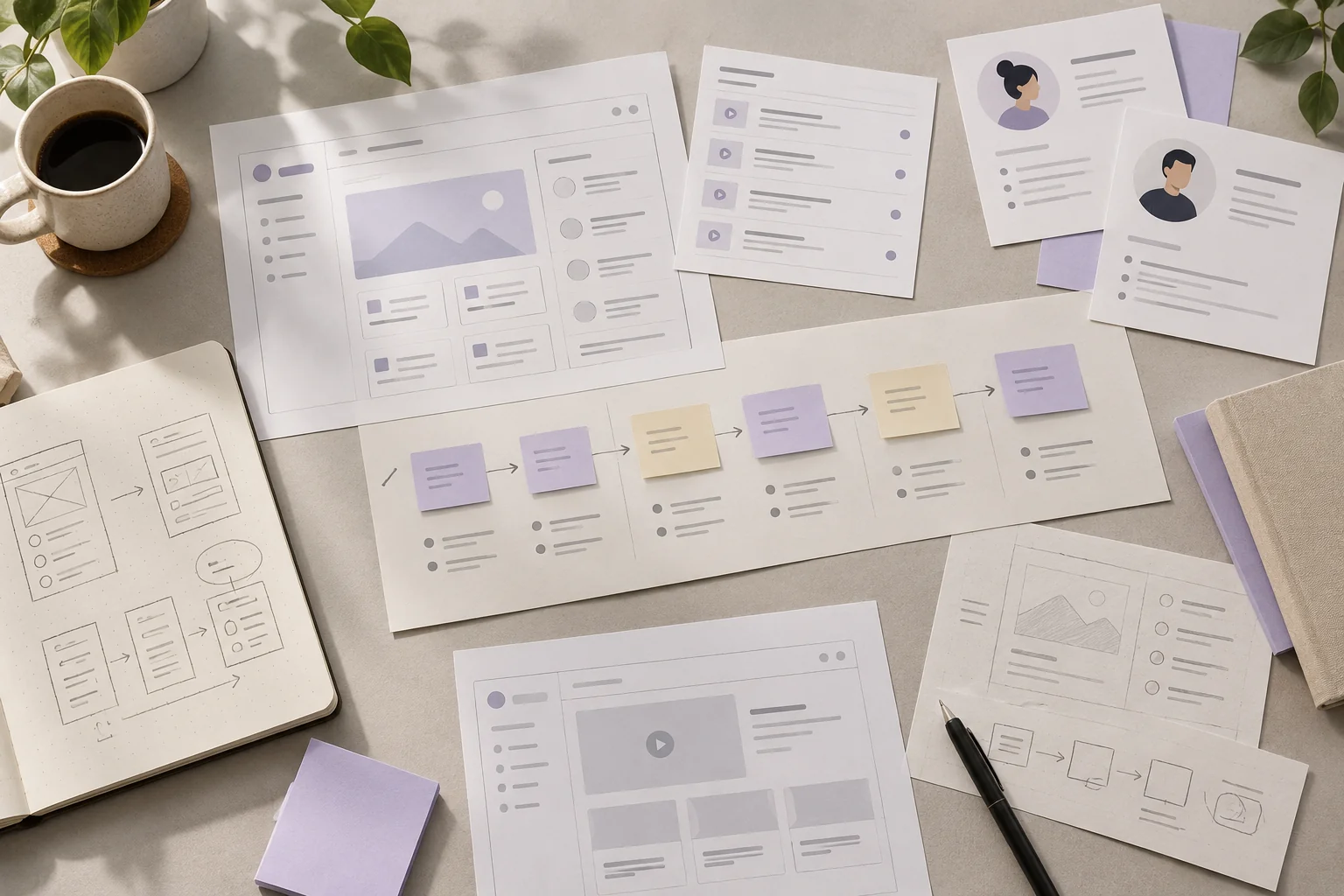
From structure to interface
Low-fidelity wireframes reconstructed for this case study. They explain information hierarchy and flow, rather than reproduce original project files.
05 / UI & visual design
Website captures & design drafts
Captions distinguish public website captures from AI-generated platform design drafts. Open an image to explore its details.
What the design makes possible
The result is a product family with a legible structure: distinct markets, role-specific entry points and interfaces organised around the objects people manage every day. The case brings together brand architecture, public websites and operational product thinking, from a vessel record to a berth map and a confirmed field reading. Its strongest contribution is a consistent way to make complexity visible and actionable; business impact and user-performance figures are not claimed without a documented measurement.