Multilingual Website Design in Mallorca: A Working Brief
Plan a multilingual Mallorca website around complete customer journeys: language URLs, content ownership, enquiry forms, portfolio and launch checks.
5 min read
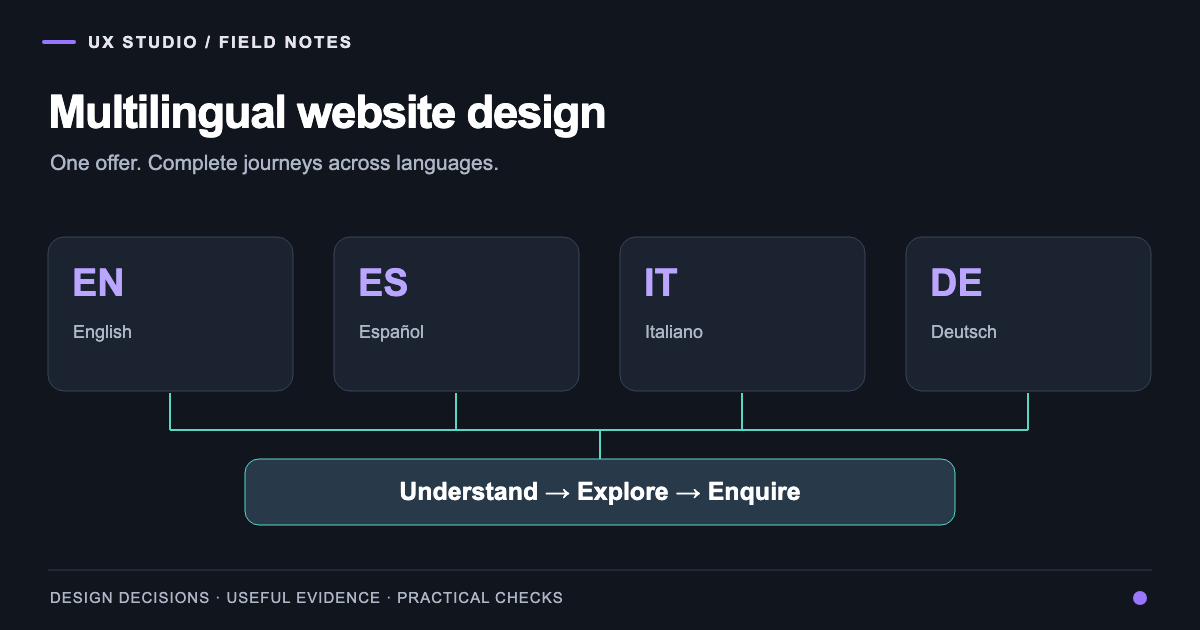
Multilingual website design is the design of a complete experience across languages, including content, navigation and the actions people need to complete. For a business in Mallorca, the practical question is whether someone can understand the offer and make an enquiry in the language they selected.
That sounds straightforward until the visitor moves beyond the homepage. The service description is translated, but its project examples are not. A booking link opens in another language. A form confirms an enquiry with unfamiliar wording. These gaps can appear even when every navigation label has a translation.
At UX Studio, we work between Mallorca and Florence. Our Mallorca web design practice treats language as part of the brief and the delivery process. This guide focuses on building and maintaining the experience; our AI search optimization guide addresses how useful content becomes available to search systems.
Choose languages from the work you can support
Begin with the business, not a row of flags. Review the languages used in genuine enquiries, the markets the business serves and who will answer each message. Consider the depth of the decision: a visitor arranging a property project may need more explanation than someone checking opening hours.
The result should be a language plan with named responsibilities. If nobody can review a technical service description in a particular language, record that gap before publishing a polished translation. A website should not suggest a support capability the business cannot provide.
Avoid treating language and nationality as interchangeable. A German-speaking resident may prefer English for one task and German for another. Offer a visible choice and keep visitors in control rather than forcing a language solely from their location.
Map one complete journey before translating everything
Choose a useful task: evaluate a service, inspect a relevant project and send a brief. List every page, message and external handover involved. Then repeat the route in each planned language.
| Journey element | What needs a decision | Who should review it |
|---|---|---|
| Service page | Scope, terminology and exclusions | Service owner and language reviewer |
| Project story | Role, context and image captions | Project owner |
| Enquiry form | Labels, validation and privacy explanation | Product team and business owner |
| Confirmation | What happened and what comes next | Person handling enquiries |
| External tool | Language and return path | Integration owner |
This makes hidden work visible. Translation of a menu is a small task; maintaining service meaning and error recovery across languages is an ongoing responsibility. Our UX/UI design service connects these details to a shared system of components and content patterns.
Design a stable URL and page relationship
Use a consistent, directly accessible URL for each language version. Google's multilingual-site guidance recommends separate URLs rather than relying only on cookies or location adaptation. The architecture should also make sense to someone copying a link into an email.
Keep a mapping between equivalent pages. A language switch from a project should lead to that project in the selected language when available, not automatically to the homepage. If the translation is missing, make the available choice clear.
Google's guidance on localized versions explains how language alternatives can be identified with hreflang. Those references should describe genuine equivalent pages. A language tag cannot turn an English article into a Spanish one.
Preserve the project archive during a redesign
A new visual direction often arrives with an existing archive of work and articles. Before moving anything, list the page URLs, languages, images and access restrictions. Separate a change of layout from a decision to remove content.
The Daniela La Rosa website case study provides a concrete example. Its implemented redesign brings villa and yacht services into one visual identity while retaining existing portfolio and editorial material across four languages. The screenshots show a local preview of that implementation, not a claim about measured search improvement.
That work changes the brief: translation includes preserving context and relationships, not just supplying new words. A project title, image caption and service link need to describe the same work in each version. Private projects must retain their restrictions throughout the migration.
Test content as well as layout
Use real translated copy early. A headline that fits neatly in English may occupy another line in Spanish or German. Check narrow screens, button wrapping, long menu labels and email confirmations. The response should be flexible layout, not shrinking essential text until it is difficult to read.
Set the page's language correctly and identify language changes where needed. The W3C guidance on language declarations explains their role in HTML. This matters to assistive technology as well as editorial consistency.
Then complete the key task with a keyboard. Confirm that the language control is reachable, the selected language is understandable and forms preserve entered text after a validation error. Our accessibility practice examines those interactions alongside content structure.
Budget for ownership after launch
The cost of multilingual website design depends on distinct templates, content volume, review, integrations and maintenance. A site with one shared enquiry form differs from a booking flow with separate provider settings for every language. A quote should identify those assumptions rather than hide them inside a per-page total.
Agree how updates travel through the languages. A changed service scope should create a review task for its translations. A corrected testimonial should retain attribution. A removed offering should disappear from menus and connected articles, not remain available in an older language version.
A practical acceptance checklist
Before launch, choose a sample that includes the homepage, a service, a project, an article and an enquiry. Verify direct URLs, language switching, equivalent-page links, form feedback, mobile reading and relevant metadata. Record any intentionally unavailable translations instead of treating them as completed work.
After launch, review enquiries by selected language and by the service people actually request. Use that evidence to improve the next content release. For planning the migration itself, continue with the website redesign checklist. A useful multilingual website makes the same business understandable through complete, maintainable journeys.
Frequently asked questions
About the author
Design & Engineering Team
The UX Studio design and engineering team publishes practical notes on digital strategy, user experience, accessibility and implementation. The articles draw on work documented in the portfolio, including EduSpera, ClassWolf and the SupaSailing / SupaMaritime ecosystem.